Self-Healing LLM Inference Platform
It serves an LLM and heals itself: detect, diagnose, propose, review, reconcile.
Problem
GPU-backed model serving fails in ways that page a human at 3am for a fix that is usually mechanical: a replica that never came back, a node taint, or a bad rollout. The diagnosis is the slow part, not the edit.
Architecture
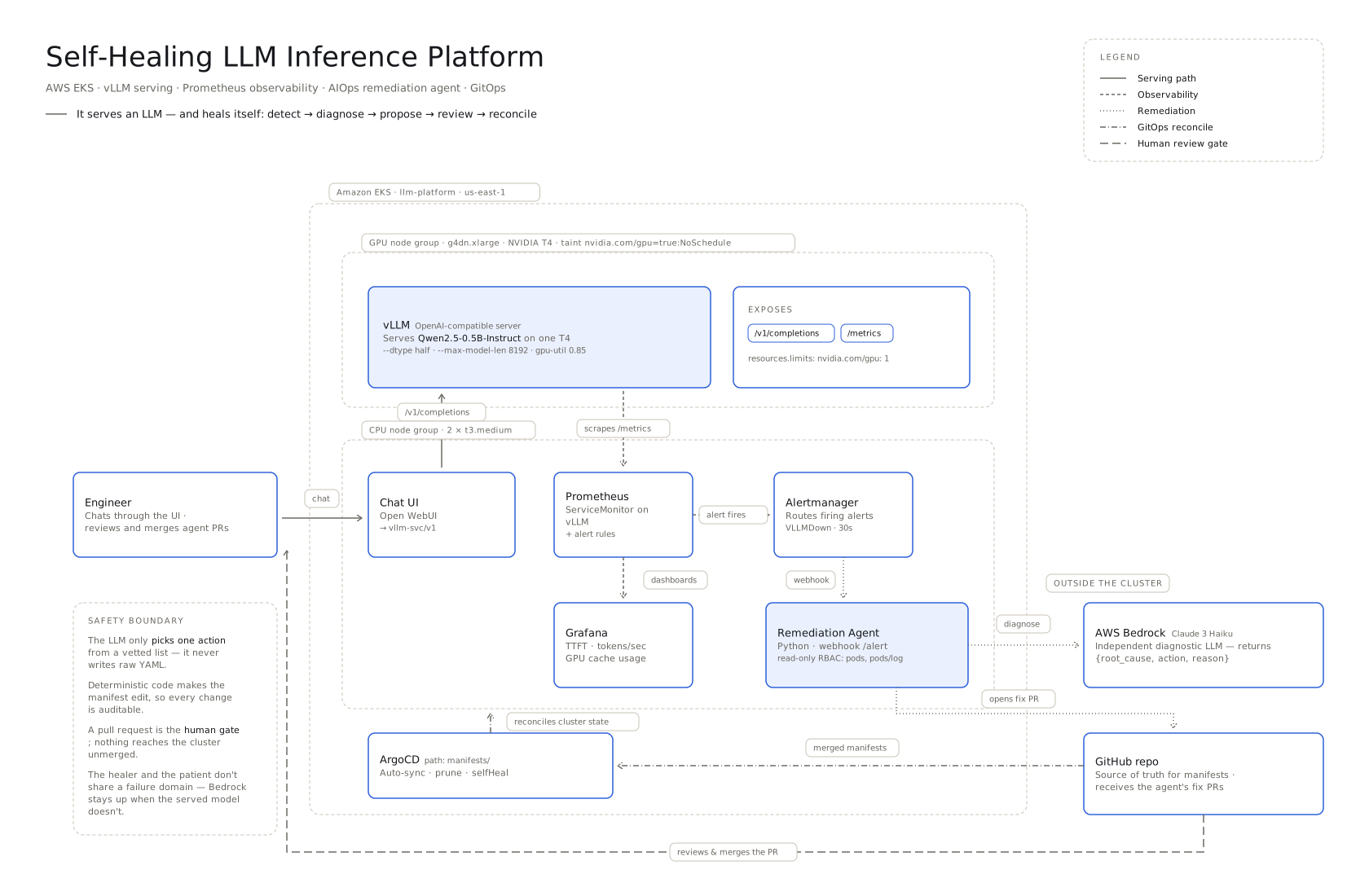
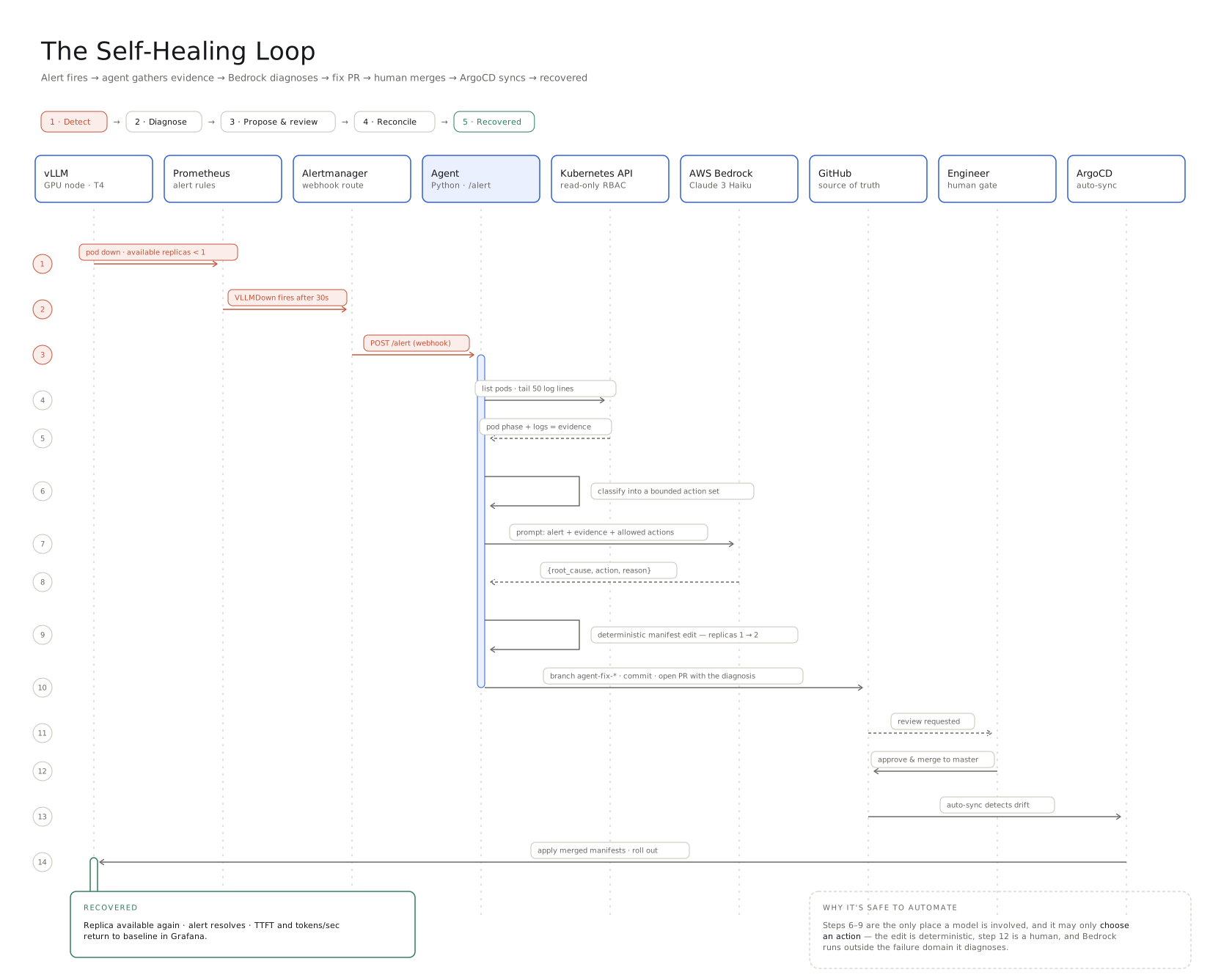
Approach
vLLM serves Qwen2.5-0.5B-Instruct on an EKS GPU node group behind an OpenAI-compatible API, with Prometheus scraping /metrics and Alertmanager routing a firing VLLMDown to a Python remediation agent. The agent gathers evidence with read-only RBAC (pod phase plus the last 50 log lines), asks AWS Bedrock for a structured {root_cause, action, reason}, then applies a deterministic manifest edit and opens a fix PR. ArgoCD auto-syncs once a human merges.
Walkthrough of a real incident
- fault injected: --max-model-len 999999 committed to vllm.yaml
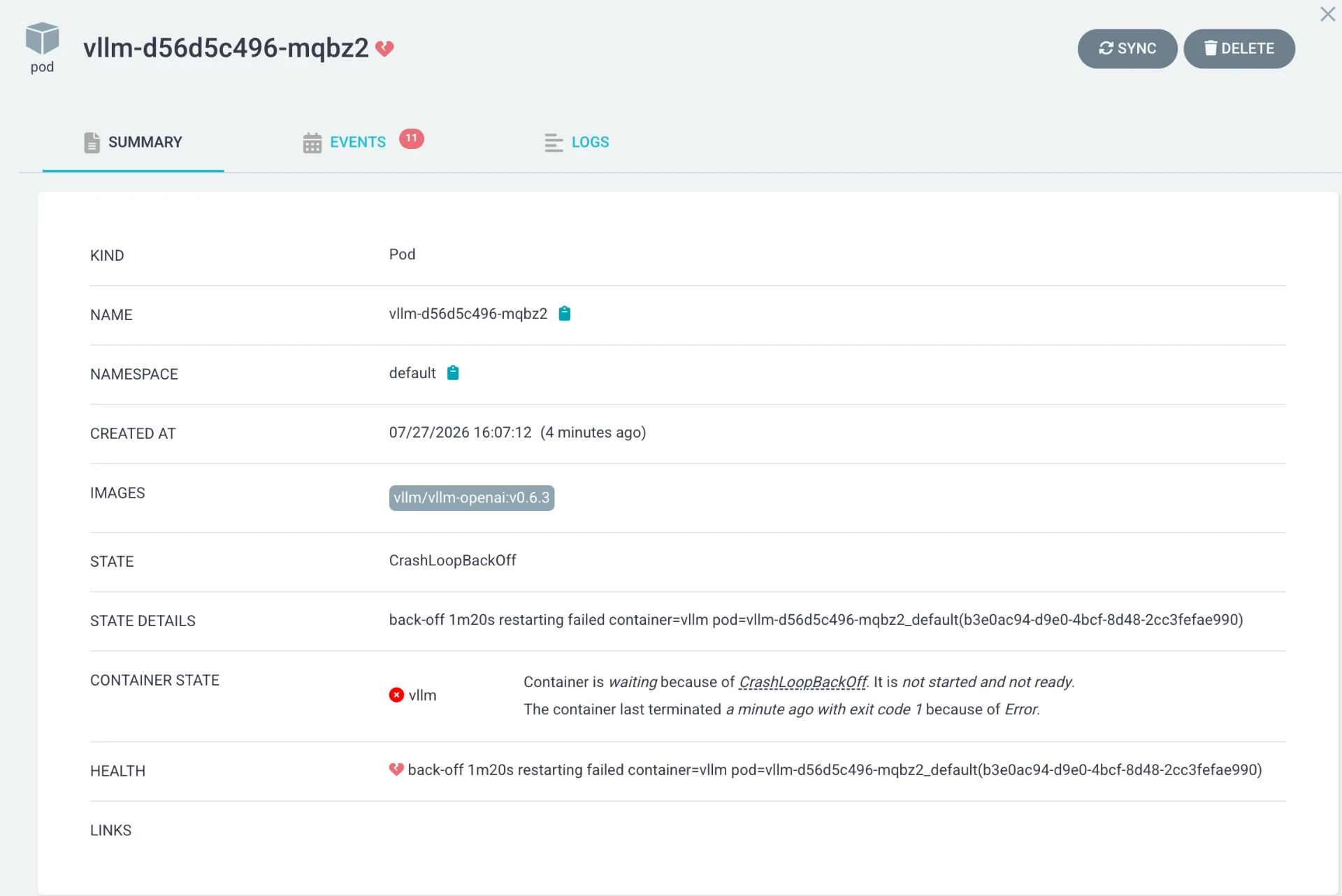
- vLLM enters CrashLoopBackOff, exit code 1
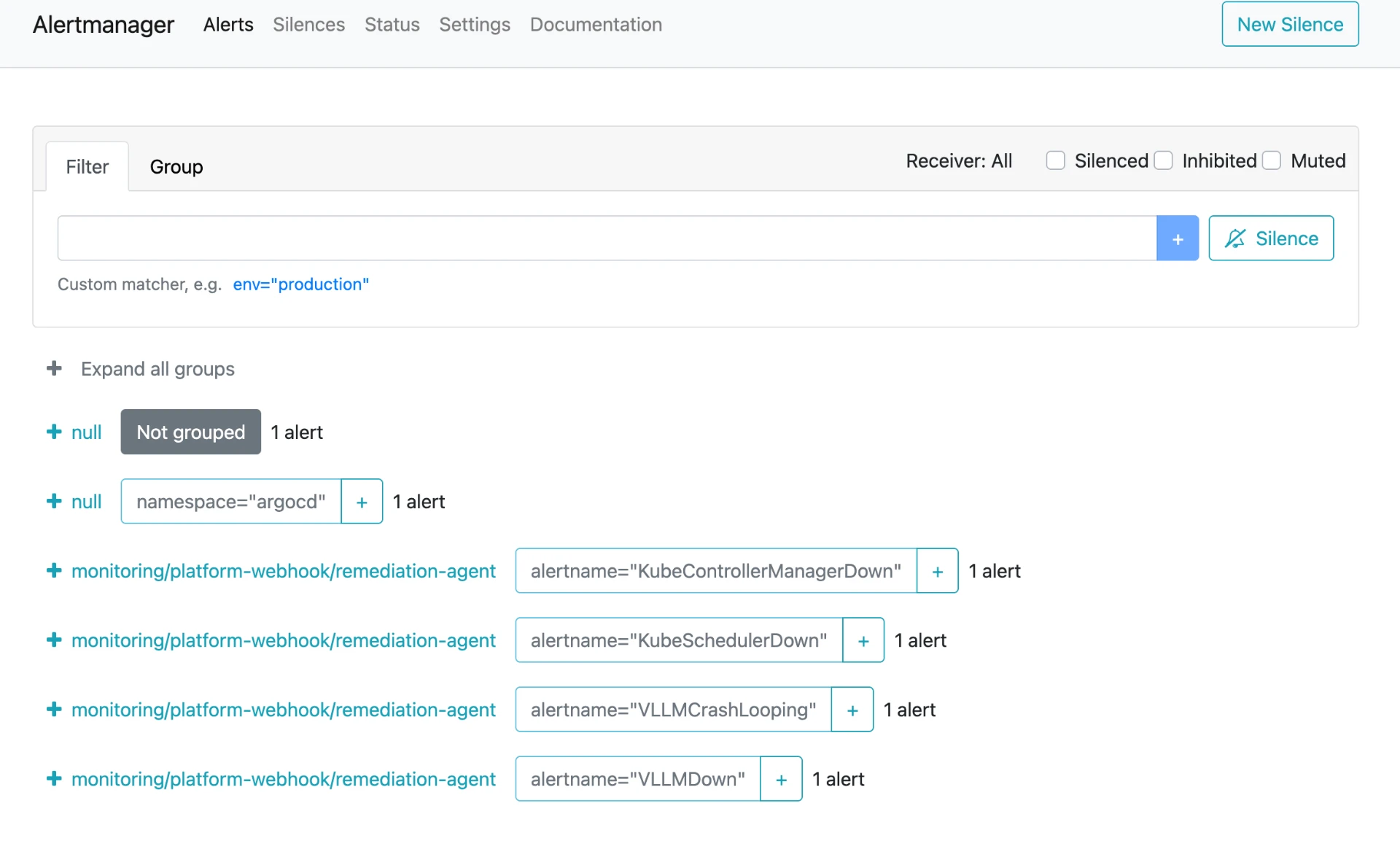
- VLLMCrashLooping alert fires, routed to remediation-agent
- agent reads logs from the crashed pod via the Kubernetes API
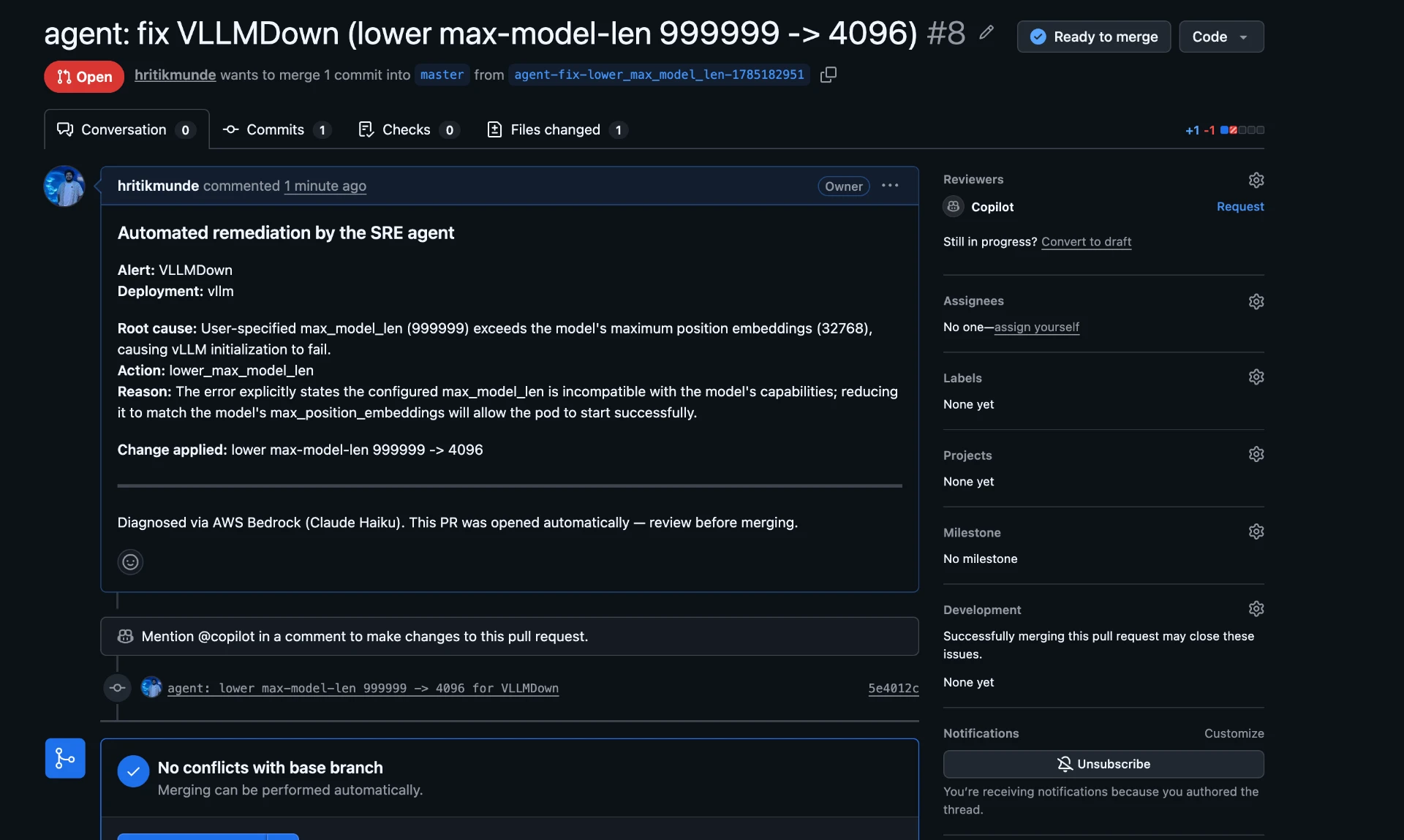
- Bedrock diagnosis: max_model_len 999999 exceeds model max position embeddings 32768
- action selected: lower_max_model_len
- PR opened: "agent: fix VLLMDown (lower max-model-len 999999 -> 4096)"
Evidence
EVIDENCE / ONE REAL INCIDENT, END TO END
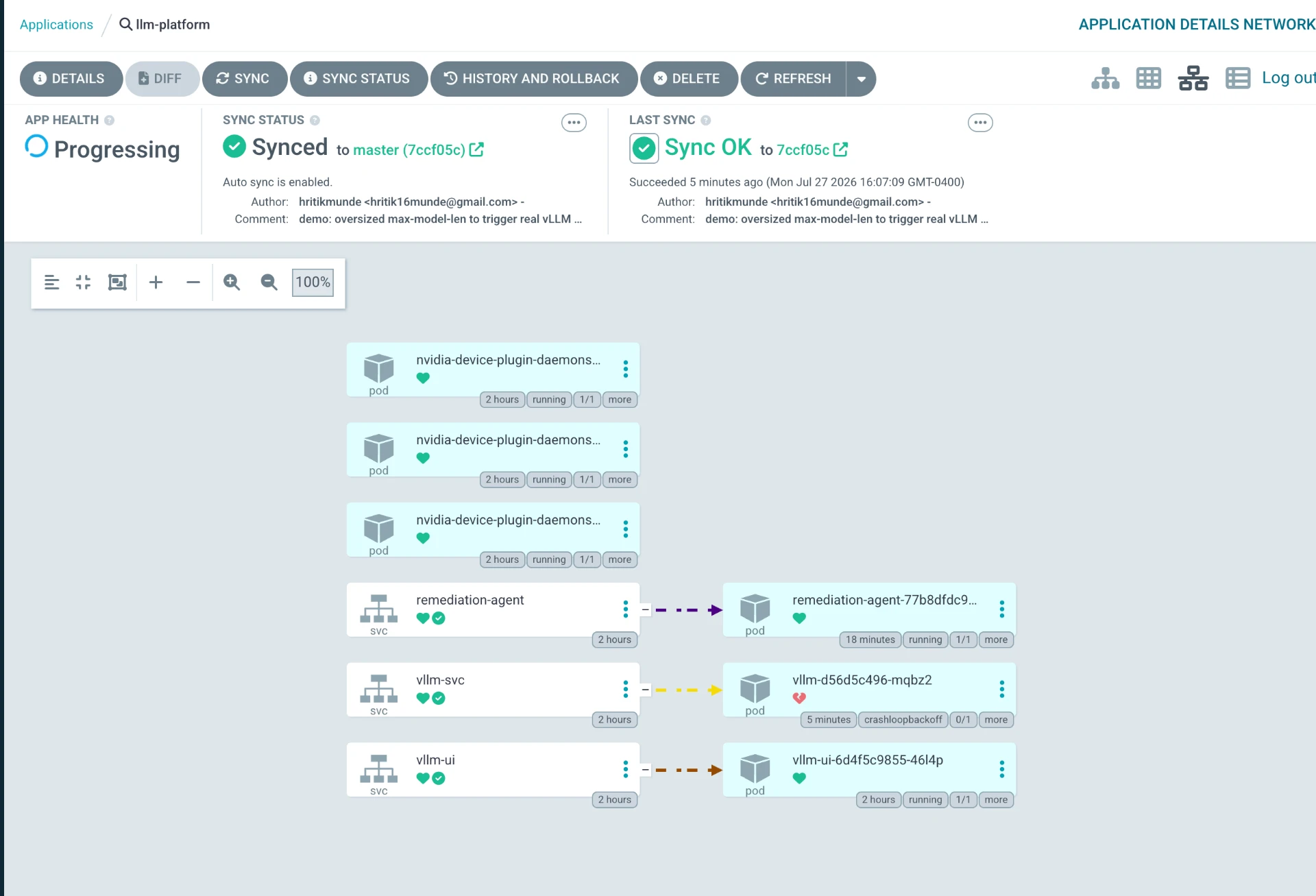
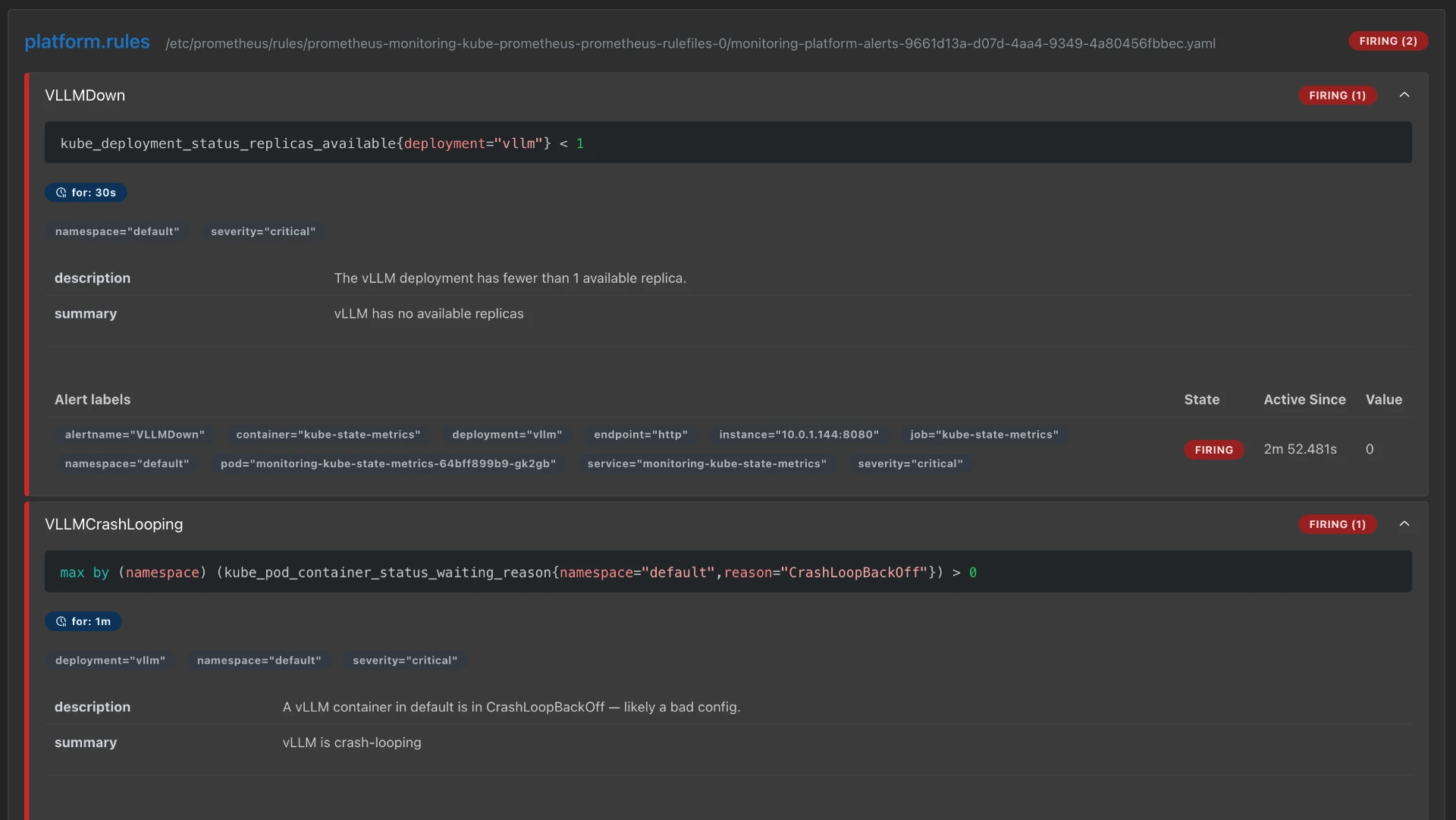
Outcome
Remediation PRs open in under a minute, and unreviewed infrastructure edits stay at zero. The safety boundary is the design. The model only picks one action from a vetted four-action set. It never writes raw YAML. The edit itself is deterministic code, a pull request is the human gate, and Bedrock runs outside the failure domain it diagnoses, so the healer stays up when the patient doesn't.
Hard-won lessons
A Kubernetes Service named `vllm` causes the cluster to auto-inject a VLLM_PORT environment variable in host:port form, which collides with vLLM's own VLLM_PORT config and crashes the engine at startup. The fix is setting VLLM_PORT explicitly on the container so the injected value is overridden.
The terraform-aws-eks module v20 silently ignores a top-level disk_size attribute on a node group. Node disk must be configured through block_device_mappings instead, otherwise nodes come up with the default volume and the model download fills the disk.
An NVIDIA T4 is compute capability 7.5 and cannot run bfloat16, so vLLM must be started with --dtype half.